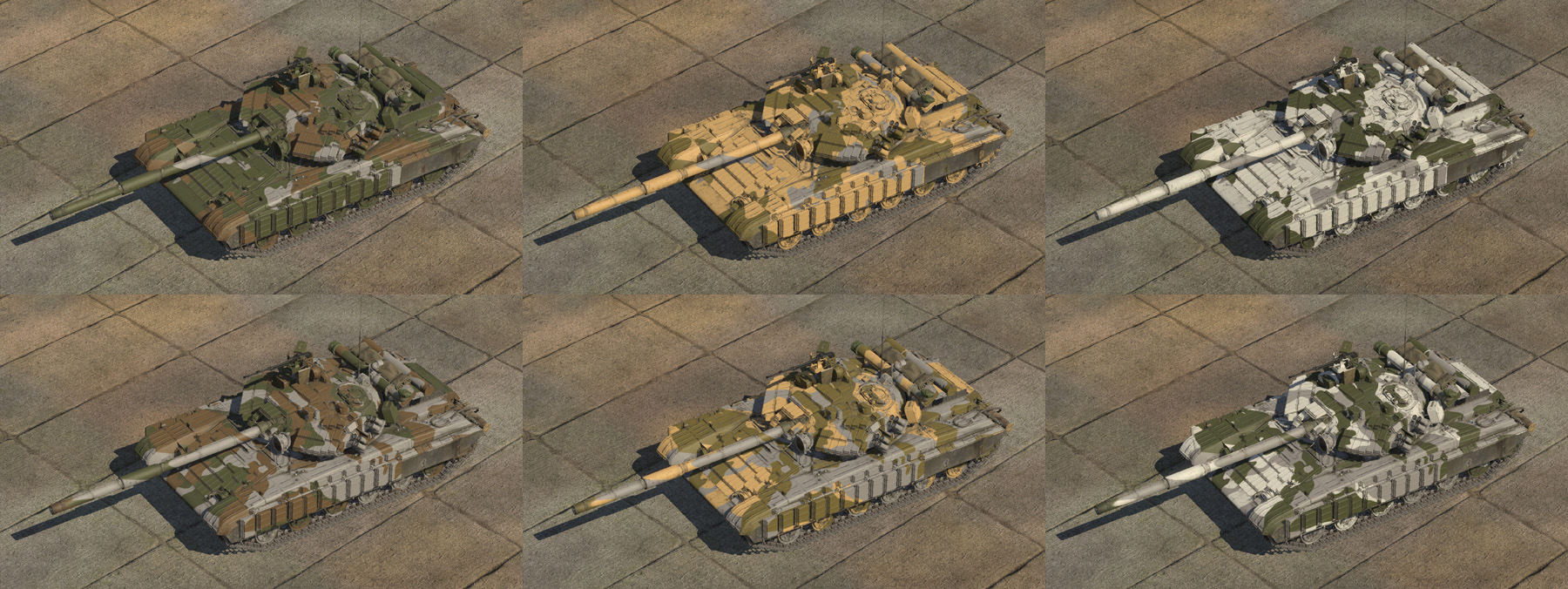
Six universal camouflages based on the War Thunder default "Deforming" camouflage patterns for high-tier Soviet tanks.
Installation built using NorthyPark's Universal Starter Pack, which at the time of publishing is current through patch 1.97. Future/missing tanks can easily be added by creating new .blk files as needed.*
Simply place the folders from my download into the \WarThunder\UserSkins folder on your computer.
Screenshots show the Forest, Desert, and Winter patterns (A and B) applied to an M1A2 and a T-64BV, for example.
Thanks to Schindibee and NorthyPark for sharing their installation method!
#universal
#alltanks
* To create a new .blk file for missing or new tanks, do this:
1) In the customization menu, click the magic wand icon to "Create a user skin sample files in the game folder".
2) Pull the .blk file out of the template folder onto your desktop. Open it with notepad or some other editor.
3) Edit the first section to add "texture.dds" as the replacement texture for the main camo. Here's an example of what it looks like in a Soviet tank .blk file: