跳到正文
战争雷霆涂装站
搜索
涂装:Grakino v1.2
作者 Grakino_UA
菜单
论坛
下载中心
最新
登录
注册
此网站还在开发中,功能陆续上线。
首页
›
下载中心
›
地图
›
block island v2
block island v2
方块岛 v2
简介
更新记录
评价
简介
updated b-52 and tu-95!
updated b-52 and tu-95!
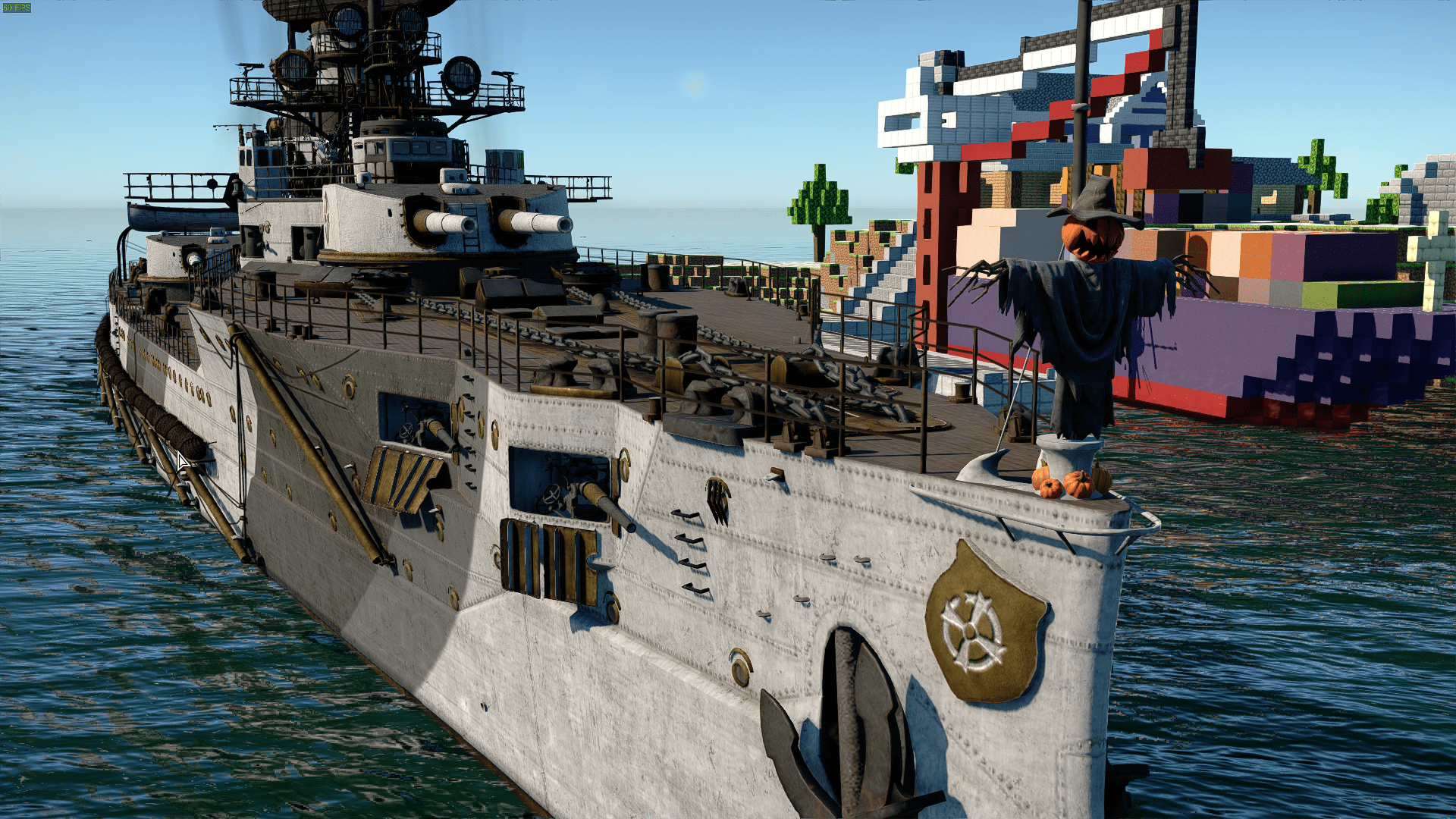
Minecraft custom hangar v2
How to install?
1.copy and paste "content" and "island_block.blk" into War Thunder folder.
2.open config.blk located in your War Thunder folder.
3.copy and paste this text---> hangarBlk:t="island_block_v2.blk" and save.
커스텀 격납고v2
The biggest difference is the runway.
It was originally a stone block, but has been changed to a gray concrete block.
And I changed the position of the sun. It was originally located above the tank.
Now the sun is next to the tank. It's probably easier to apply decal.
If you don't like the position of the sun, you can change it yourself.
open island_block_v2.blk in the War thunder folder
Change the number in env:t = "16" at the top of the file. 16 mean 4pm.
if you want change to 8am, Change 16 to 8
++
Make sure to set the texture setting to high
If it's medium or low, the texture of the map becomes weird
Enjoy!
#customhangar #minecraft #mc
原文太长,后面的部分没有翻译,请看原文。
翻译成中文
更新记录
首次收录
今天 13:37
WT Live 收录
block_island_v2.zip
5 MB
评价
登录
后可以评分和评价。
还没有人评价。
赞